-1.png?width=702&height=262&name=Integra%20White%20(1)-1.png)
That photo looked great on your website — so why does it look muddy in print? Nine times out of ten, it's a resolution issue. For print, images need to be at least 300 DPI (dots per inch) at the size they'll actually appear on the finished piece. Web images are typically 72–96 DPI, which is fine for a monitor but falls apart once ink hits paper.
Take a look at these examples: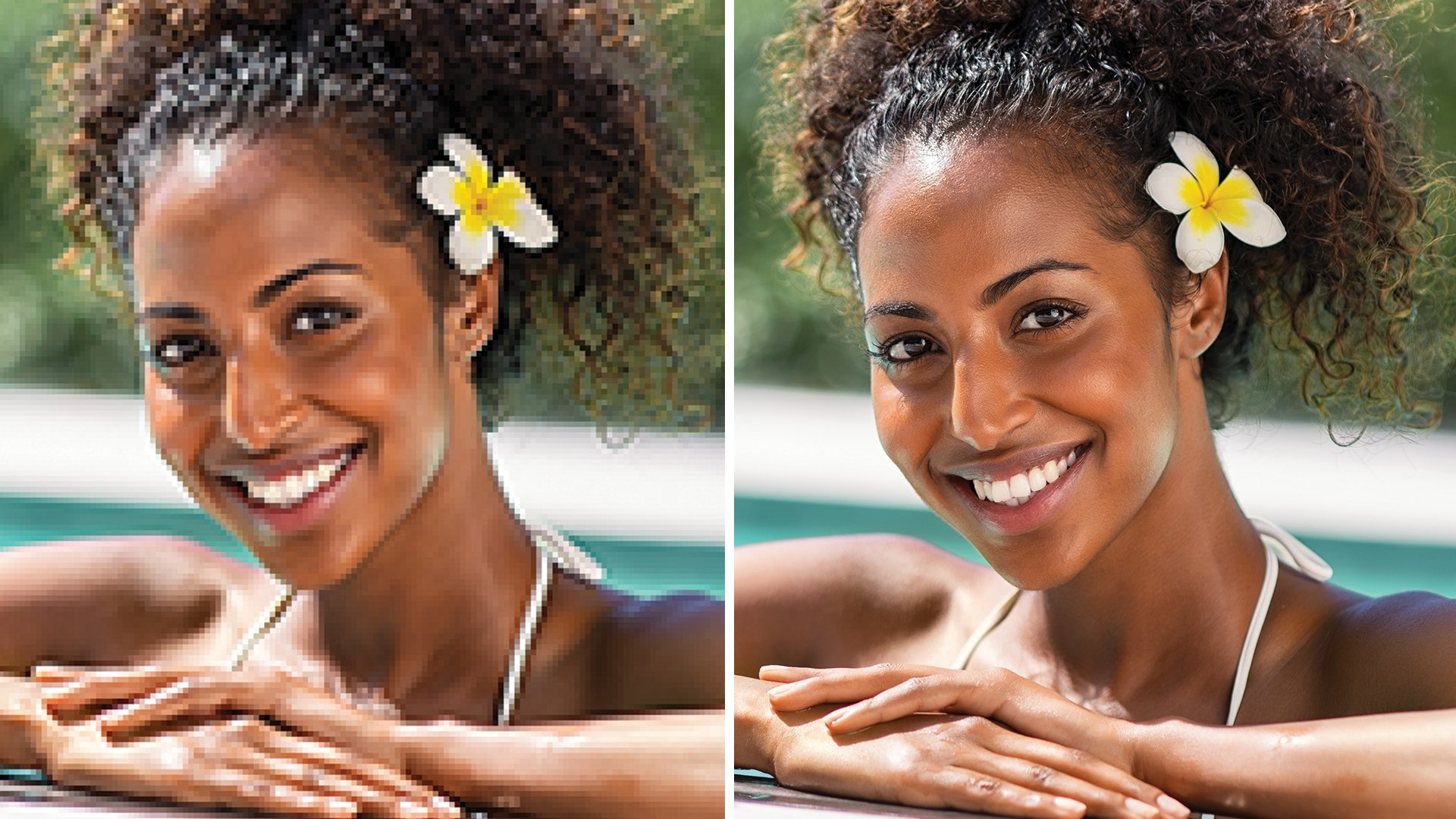
The image on the left is an example of a low-resolution photo or 72 DPI. This is how an image from your website would look printed. The image on the right is a high-solution photo or 300 DPI. This is the image resolution you want for printing.
Caution: You cannot simply convert a low-resolution photo to a higher resolution by increasing the DPI in your imaging program. The printed result will be a blurry image.
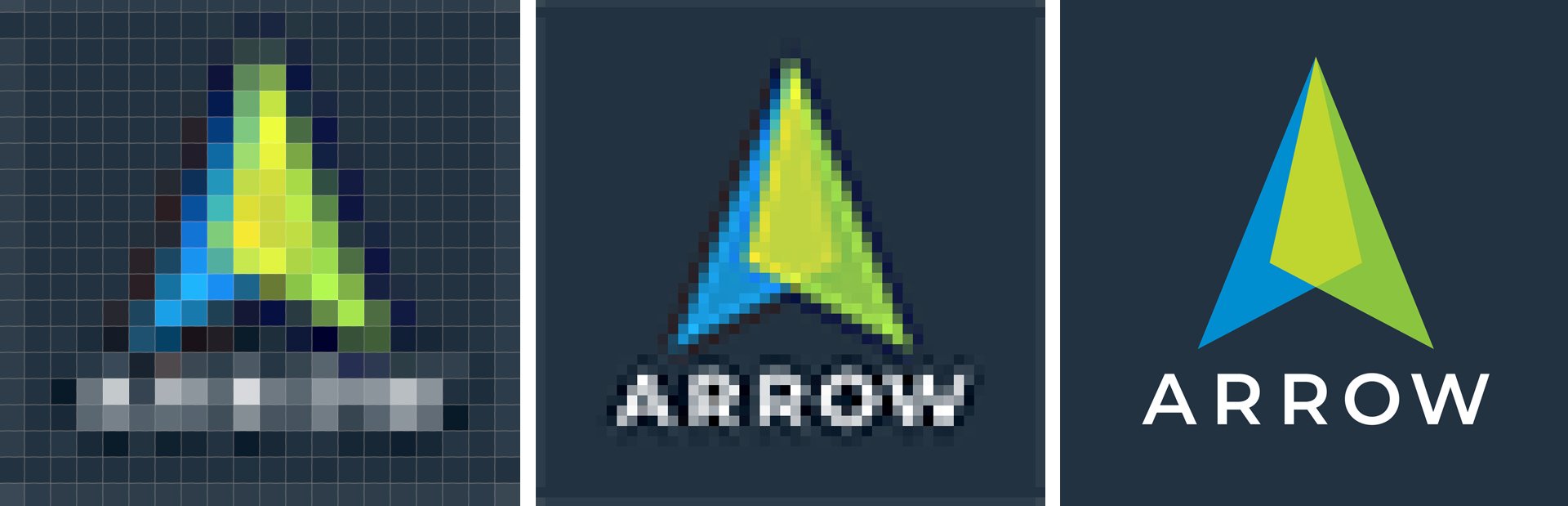
Resolution is also known as PPI or pixels per inch. It is a measurement of the number of squares (or pixels) of color information available in an inch of space. The more squares, the better the image quality. Below is an illustration of how the same image might appear at different pixel resolutions.
Have a File Prep Question?
We're a phone call or email away. No ticket queues, no automated replies — just a real person who is ready to help.