-1.png?width=702&height=262&name=Integra%20White%20(1)-1.png)
Good Files
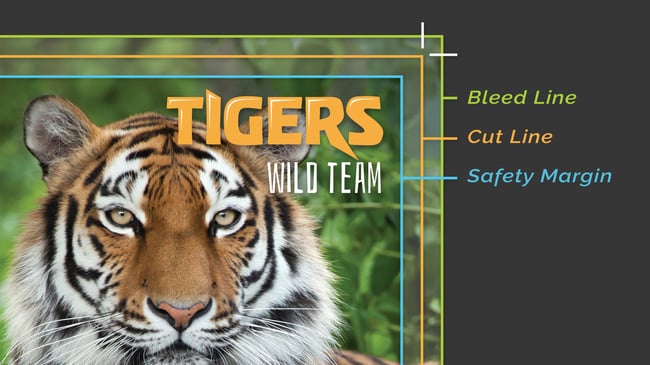
For best printing results, keep these in mind:
- Bleed Line: Artwork is extended to the solid, green line.
- Cut Line: The orange line indicates the edge of the finished, printed document.
- Safety Margin: Remember to not place text into the beyond the blue line because it could get cut off in the trimming process.
Bad Files
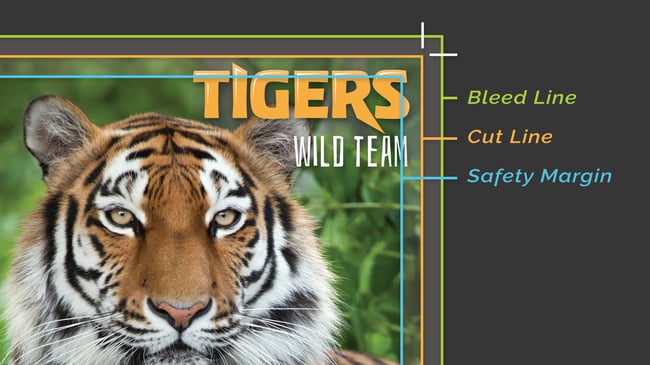
Watch out for these signs of bad files:
- Bleed Line: The bleed does not extend to the green line.
- Cut Line and Safety Margin: Watch for text that extends into the safety margin as it could be trimmed off during cutting.
Have a File Prep Question?
We're a phone call or email away. No ticket queues, no automated replies — just a real person who is ready to help.